AI is becoming a core part of customer support. Salesforce expects AI to resolve 50% of service cases by 2027, up from 30% in 2025. But users do not judge automation itself. They judge whether their problem gets solved without extra effort.
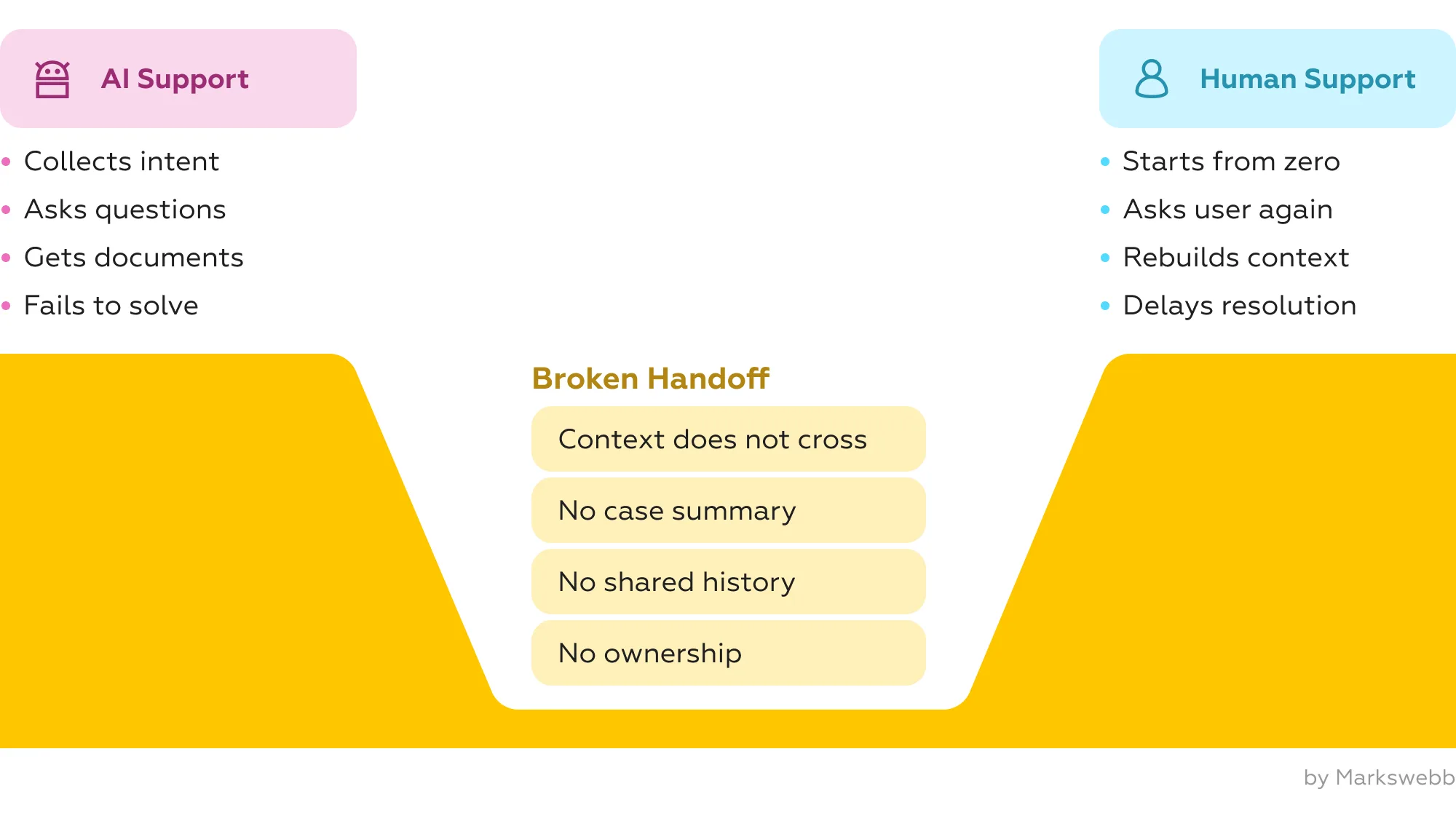
The weak point is often the handoff. A bot asks questions, collects details, reaches its limit — and then transfers the user to a human agent without transferring the context. The user has to repeat the issue, resend information, or explain what the bot has already failed to understand.
By 2026, the advantage will not come from simply adding an AI chatbot. It will come from designing one continuous support conversation. Zendesk’s CX Trends 2026 report shows that 76% of customers would choose a company if they could keep text, images, and video in the same thread without restarting. This is the new standard for human-in-the-loop UX: AI prepares the case, and the human agent continues it.
Contents
From a company’s perspective, handoff may look like escalation. From a user’s perspective, it often feels like starting over.
The problem is not only technological. It is a UX architecture problem. The support journey is split into disconnected layers: AI, CRM, helpdesk, knowledge base, and agent workspace. There is no visible status, no shared case summary, no single history, and no clear ownership between the bot and the agent.
As a result, AI no longer feels like a shortcut. It becomes another step before reaching someone who can actually help.
Markswebb Chatbot Rank 2025 shows that chatbot maturity differs sharply between banks. Some bots already support context, clarify intent, process complex requests, and complete tasks inside the chat. Others still work more like FAQ engines and quickly lose the thread when the request becomes complex.
The research evaluates chatbot experience across 150 parameters: task resolution, dialog management, and interface support (Markswebb Chatbot Rank 2025).
The same issues that weaken chatbot UX also break human-in-the-loop support: repeated questions, lost context, unclear escalation, weak connection between bot and operator, and no transparent wait time.
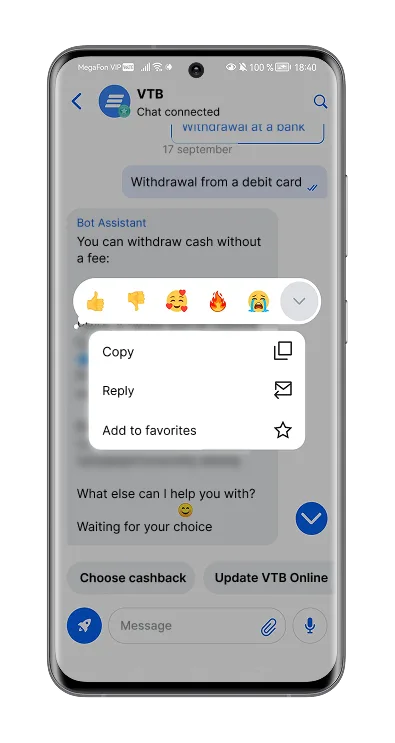
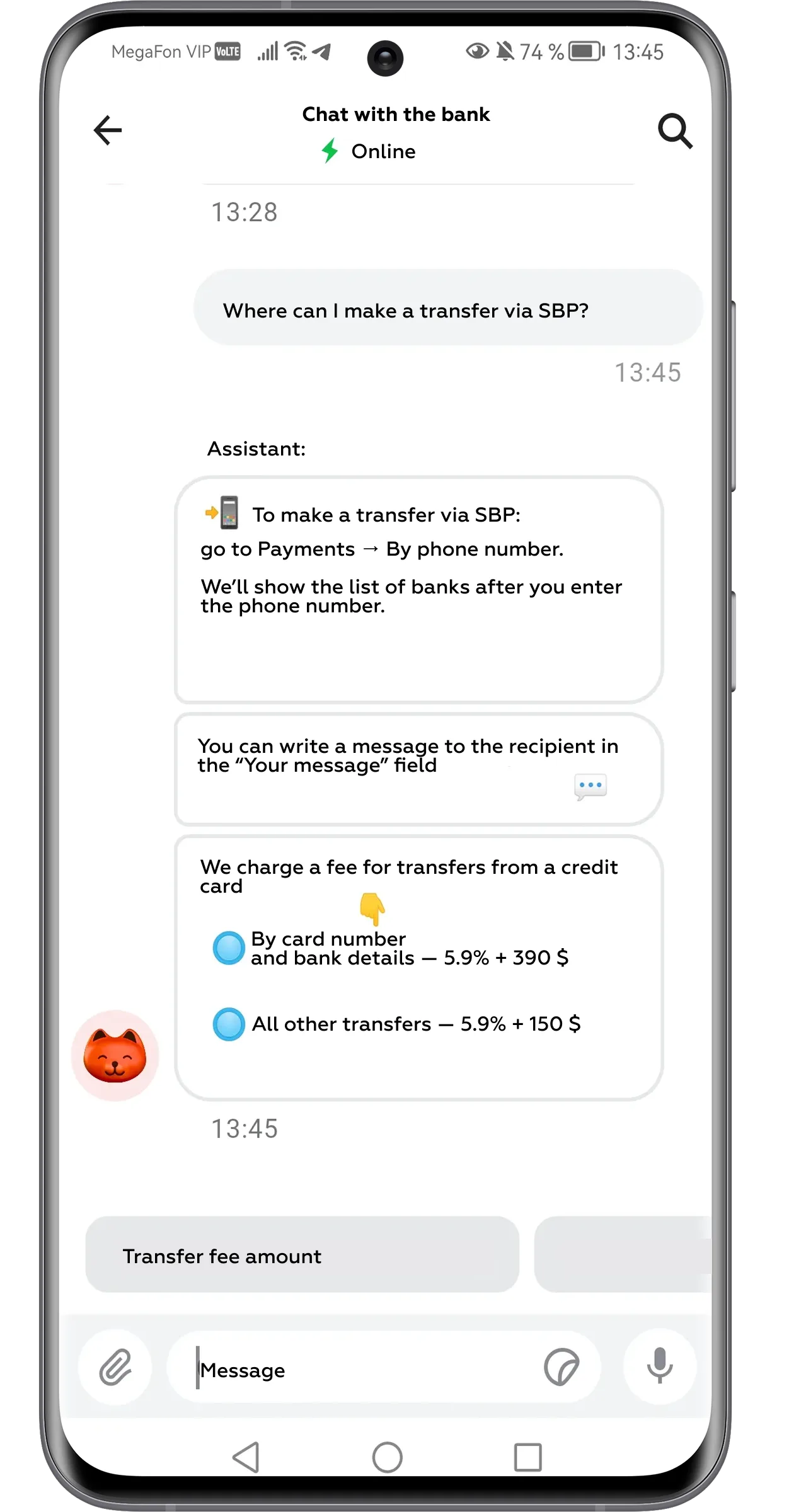
Strong examples point to a better model. VTB’s chatbot can answer multiple questions from one message, recognize screenshot topics, suggest relevant quick replies, handle dispute scenarios in chat, and simplify contact with an operator. These practices help the bot not only answer, but prepare the next step.
The next stage of AI support is one conversation design: a support experience where the user does not see the internal seams between AI, CRM, helpdesk systems, knowledge bases, and human agents.
In a fragmented model, every layer behaves like a separate channel. The user becomes the only person who can connect the story. One conversation design changes this: AI collects the problem, product, transaction number, documents, screenshots, previous steps, urgency, emotional tone, and expected outcome — then turns it into a short summary for the agent.
The agent enters the dialogue with a next step, not with “How can I help you?”
“I see the payment was sent yesterday, but the recipient still has not received it. You have already checked the status and attached the transaction details. I will now verify the processing stage and explain the next step.”
This is also why conversational UX should not be treated as “chat instead of interface.” As we wrote in our article on Conversational UI and the hybrid trap, the strongest AI experiences are built around orchestration: the system connects the right interface, data, and human judgment at the right moment.
The best handoff is not a transfer. It is a continuation.
A good AI-to-human handoff should be visible, predictable, and continuous. The user should not feel that the conversation has been reset or that the bot was only a temporary filter before reaching “real” support.
In practice, this means designing several interface moments that keep the user oriented.
1. Clear handoff trigger
The user needs to understand why a human agent is joining the conversation. A generic “I’ll transfer you to an operator” is not enough. The interface should explain the reason in plain language:
“This case requires a specialist because it involves a disputed transaction.”
This reduces the feeling that the bot has failed. The escalation becomes a logical next step, not a dead end.
2. Context confirmation
Before the transfer, the bot should show what it has understood and what it will pass to the agent:
“I’ll pass this to an agent: your card was charged twice, the second payment is still pending, and you want to cancel or dispute it.”
This gives the user a chance to correct the summary before the case moves forward. It also makes the handoff feel controlled: the user sees that their answers, documents, and screenshots were not lost.
3. Transparent wait time
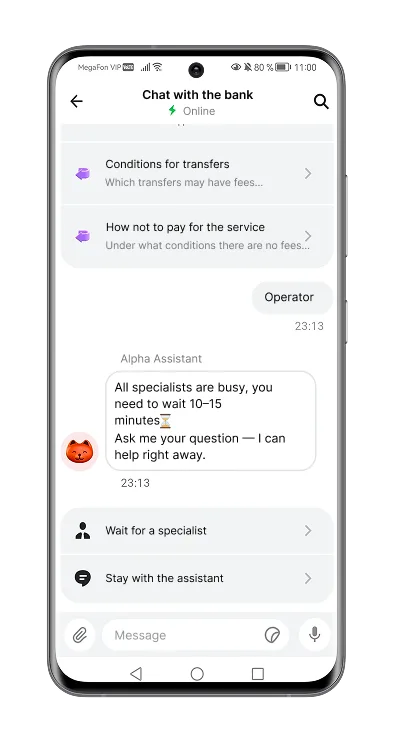
Waiting becomes less stressful when the user knows what is happening. In Markswebb Chatbot Rank 2025, clear operator wait time is highlighted as one of the strongest chatbot UX practices: when escalation is needed, the best implementations show an estimated waiting time and allow the user to decide whether to wait or continue resolving the issue with the bot.
A good message can be simple:
“All specialists are busy. Estimated wait time: 10–15 minutes. You can wait here or continue with the bot.”
This reduces uncertainty and lowers the risk of abandoned chats.
4. Status continuity
The conversation should remain in one thread. The user should still see the previous messages, uploaded files, screenshots, bot answers, and the current status of the case. There should be no sense that the chat has restarted.
This is especially important in banking scenarios, where the issue may involve a payment, card operation, subscription, dispute, or suspected fraud. On the Chatbot Rank 2025 page, Markswebb notes that one of the important development areas for some banks is exactly this: not asking for information that the user has already provided, making data available to the consultant, and connecting bot and operator chats into one experience.
5. Agent entrance with context
The human agent’s first message is the strongest signal of whether the handoff worked. It should not start with “How can I help you?” It should prove that the agent already understands the case:
“I see the issue. The transaction was duplicated, and the second payment is still pending. I’ve checked the status and can offer two options: wait for automatic reversal or start a dispute now.”
This is the moment when human-in-the-loop becomes visible to the user. The AI collected and structured the case; the human agent enters with judgment, responsibility, and a next step.
Human-in-the-loop UX is not only what the user sees in the chat. It is also what the agent sees when they enter the case.
A seamless handoff is impossible if the operator receives only a raw chat log. The agent should not spend time reconstructing the problem manually. They need a structured case card: intent, urgency, customer profile, product, detected emotion, previous bot actions, missing data, risks, policy hints, and recommended next best action.
Capita describes this as one of the CX shifts for 2026: leading companies use AI to support agents with real-time knowledge suggestions, sentiment analysis, conversation summaries, unified desktops, and after-call summaries (Capita, CX trends for 2026).
If the agent has to search for context manually, the handoff is not seamless. The user may not see the internal workspace, but they immediately feel whether it works.
Human-in-the-loop UX cannot be measured only by automation rate or containment rate. These metrics show how many users stayed inside the bot, but not whether the problem was solved.
A mature support model needs metrics that evaluate the joint work of AI and human agents:
The business value is not in keeping users away from humans. It is in making every transition faster, clearer, and more useful.
Seamless handoff requires a shared design logic for AI, systems, and human agents.
1. Preserve context by default
Everything the user has already shared should move to the agent automatically.
2. Escalate by intent, not only by failure
A human should join when the request is sensitive, risky, emotional, or requires accountability.
3. Make the handoff visible but not disruptive
The user should understand why a specialist is joining without feeling that the conversation restarted.
4. Give agents decision-ready context
The agent needs a structured case summary, missing data, risks, and the recommended next step.
5. Design AI and human as one service role
AI and the agent should share one tone, one history, one goal, and one quality standard.
AI-to-human handoff often breaks because teams design the chatbot flow, but not the transition itself. The most common mistakes are:
These mistakes turn AI from a support accelerator into another layer of friction.
In 2026, strong CX will not be built around the choice between a bot and a human agent. It will be built around the architecture of their collaboration.
AI should collect context, reduce uncertainty, prepare summaries, and suggest the next step. Human agents should join when the case requires empathy, accountability, or complex judgment. UX teams need to design the whole support system: what the user sees, what the agent receives, how context moves between layers, and how the conversation continues without a visible break.
The best human-in-the-loop experience is not when users notice that AI and humans work together. It is when they do not have to think about the transition at all.
What is human-in-the-loop UX?
Human-in-the-loop UX is a support design model where AI handles part of the interaction, but a human agent can join when the case requires judgment, empathy, or responsibility. The key is that the transition should feel continuous for the user.
What is one conversation design?
One conversation design means that the user’s support journey stays in one thread, even if different systems or people are involved behind the scenes. AI, CRM, helpdesk, and human agents work as one support system.
Why is containment rate not enough?
Containment rate shows how many conversations stayed inside the bot, but it does not show whether the user’s problem was solved. A bot can “contain” a user and still create frustration if escalation is delayed or context is lost.
What makes AI-to-human handoff seamless?
A seamless handoff preserves context, explains why a human is joining, shows wait time, keeps the conversation history visible, and gives the agent a structured case summary before they reply.
What should the agent receive from AI?
The agent should receive a decision-ready case card: user intent, urgency, product, previous bot actions, missing data, detected emotion, risks, policy hints, and the recommended next best action.
Why does this matter for CX in 2026?
As AI becomes a basic part of support, differentiation will depend less on having a chatbot and more on how well the full support journey works. Users will value services where AI and humans solve problems together without making them start over.
We respond to all messages as soon as possible.
We’ve evolved dozens of successful financial services and are eager to prove that our expertise can be implemented in other industries and around the world. Have a look at our success stories!