Contents
Conversational UI and AI agents are rapidly becoming part of digital products — from banking apps to customer support tools. Yet many companies face a surprising problem: AI agents often fail to achieve real user adoption.
The reason is not the technology itself, but the way conversational interfaces are integrated into existing products. In many cases, companies create a hybrid interface where both traditional UI and conversational UI try to control the same tasks — a design pattern we call the hybrid trap.
The market is saturated with AI-powered assistants, but adoption remains uneven. Users are frustrated, and businesses are scrambling to fix interfaces that were intended to feel innovative. Research highlights the scale of the issue:
These numbers underline a critical insight: the problem is not the underlying AI technology. Large language models may be powerful, but adoption falters when the orchestration between chat and GUI is poorly designed. In 2026, the real challenge is architectural: building hybrid experiences that guide users effectively, rather than forcing them to switch modes mid-task.
A common misstep in hybrid interface design is the “chatbot-first” mindset — the belief that conversational interfaces can, or should, replace traditional GUI elements. Many companies, enticed by the promise of AI-driven interactions, attempt to funnel every user task into a chat or voice interface. The intention is clear: streamline workflows, modernize the experience, and showcase technological innovation.
In practice, this strategy often fails at scale. Users encounter friction when familiar GUI patterns are removed or overshadowed by chat. Switching modes mid-task requires users to reframe their mental models: instead of clicking predictable buttons, they must formulate text inputs or voice prompts. This not only slows task completion but also increases cognitive load, reduces confidence in the interface, and can lead to outright abandonment.
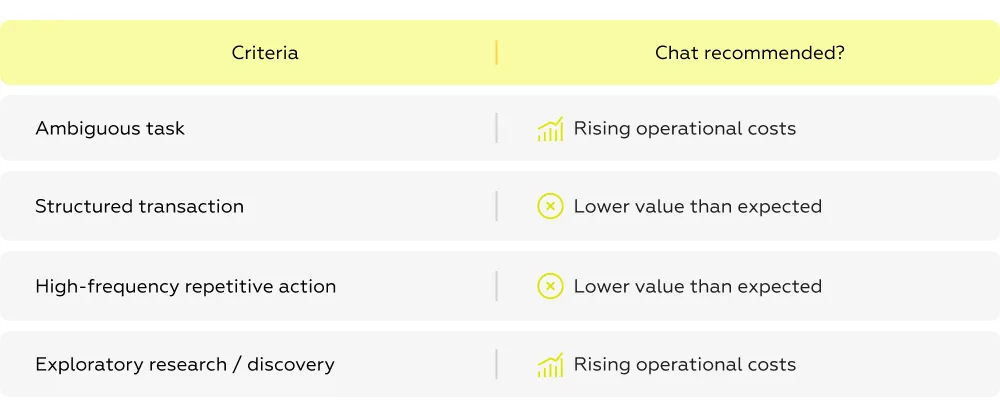
Real-world guidance already exists for mitigating this risk. Google maintains an internal checklist to evaluate when a conversational interface is appropriate versus when a GUI should remain the primary path. Similarly, research by Nielsen Norman Group emphasizes that conversational systems impose significant cognitive demands: successful interaction requires “prompt engineering” skills that are not accessible to a large portion of users, even in developed markets.
The core argument is clear: conversation is a high-friction interface when misapplied. When chat is treated as a replacement rather than an augmentation, it creates confusion, slows users down, and undermines adoption — regardless of how capable the underlying AI model is.
Even the most advanced AI cannot compensate for poor hybrid interface design. The failure of hybrid UIs is not caused by technology itself but by conflicts between user expectations, interface modes, and task execution paths. Three recurring patterns illustrate why users struggle with hybrid systems.
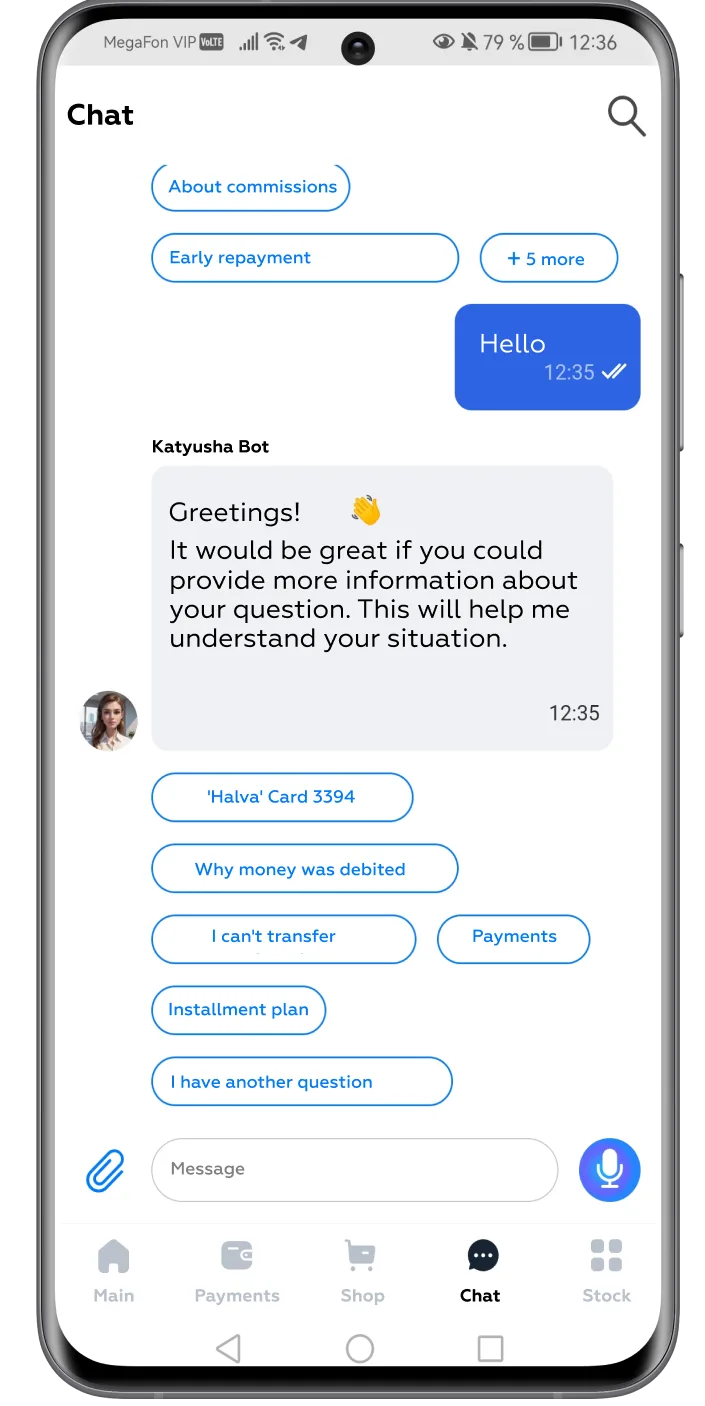
For decades, users have been conditioned to interact with graphical user interfaces (GUI): buttons, menus, forms — each element signals a clear action. Introducing a conversational interface mid-task forces users to switch mental models: from “click to act” to “type or speak to command.”
This shift is not trivial. Users often hesitate, second-guess themselves, and slow down, leading to cognitive overload. The perceived loss of control further compounds frustration, as users are unsure whether the chatbot or the GUI represents the “official” path to task completion.
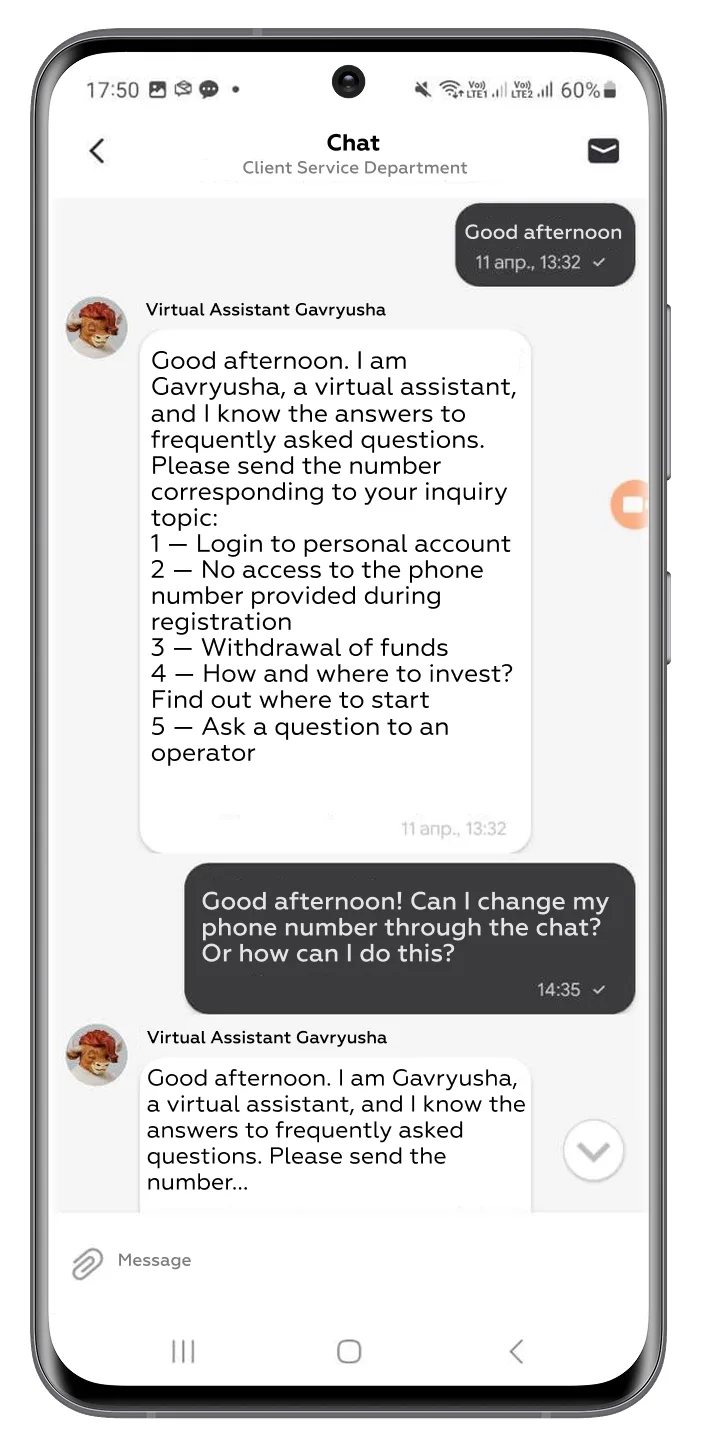
Illustrative example: In banking apps, a user accustomed to clicking “Transfer” may be prompted by a chatbot to type a transfer command. Even if the AI is capable, the switch interrupts the flow, increasing task time and stress.
Hybrid interfaces often offer the same action via multiple modalities — for example:
Clicking a GUI button.
Typing a command in the chat interface.
While this redundancy seems convenient, in practice it introduces conflict and confusion:
The result is not synergy but interface competition: two systems intended to help instead slow the user down.
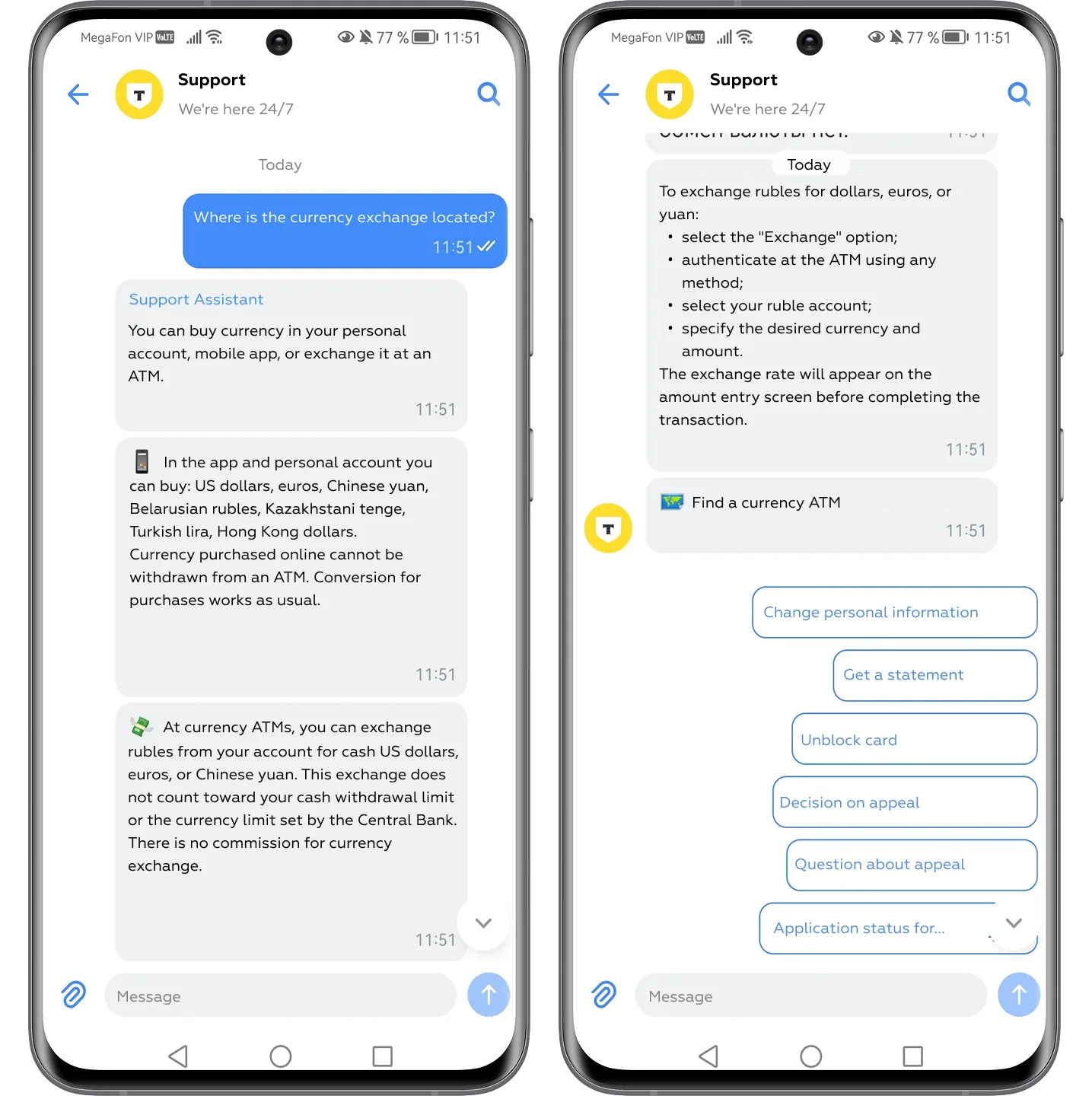
Even the most sophisticated large language model can appear “dumb” when isolated in a chat interface. A chatbot cannot see the user’s screen, track clicks, or infer previously entered data unless the system is explicitly designed to sync states.
This leads to situations where the user repeats information the system already knows, making the AI feel like an unnecessary intermediary rather than an accelerator.
Illustrative scenario:
User: “Show me transactions from last month.”
Agent: “Sure, opening your statements.”
A GUI user could have accessed the same information in two clicks. The perception of AI as time-wasting rather than time-saving erodes trust and adoption.
Key takeaway: Hybrid UI fails not because the AI is inadequate, but because interaction modes are misaligned, context is fragmented, and control is unclear. Without careful orchestration, users are forced to navigate conflicts instead of completing tasks efficiently.
While the failures of hybrid UIs are widely observed, the underlying issue is rarely addressed: the orchestration between GUI and conversational layers. Most organizations focus on improving their AI models — making chatbots “smarter” — but smarter AI alone does not solve hybrid friction.
The orchestration gap emerges when:
This gap explains why advanced AI adoption often stalls despite strong underlying models. Users are frustrated, task completion drops, and support costs rise.
To address this gap, UX research must go beyond testing AI capabilities in isolation. Markswebb’s approach focuses on intent-first orchestration, assessing how hybrid interfaces guide users toward their goals. Key practices include:
By focusing on how the system coordinates GUI and conversational paths, rather than only improving AI outputs, organizations can design hybrid interfaces that reduce friction, maintain control, and boost adoption.
The solution to hybrid friction is not “smarter AI” or “more chat features.” It is intent-based design — an approach that starts with the user’s goal and matches the interface to the task, rather than forcing users into a predetermined interaction mode.
Principles of intent-based UI:
This approach flips the conventional “chatbot-first” mindset:
Stop forcing users into conversations. Start matching the interface to the task.
Practical example: In Microsoft 365 Copilot, AI is embedded inline within familiar applications rather than replacing the GUI. Users receive contextual assistance while remaining in their preferred workflow. This reduces cognitive load and improves adoption — exactly the effect intent-based UI aims to achieve.
Intent-based UI is not just a theory — it changes how hybrid interfaces are structured to match real user goals. In practice, it involves choosing the right modality for the right intent, rather than assuming one interface fits all tasks.
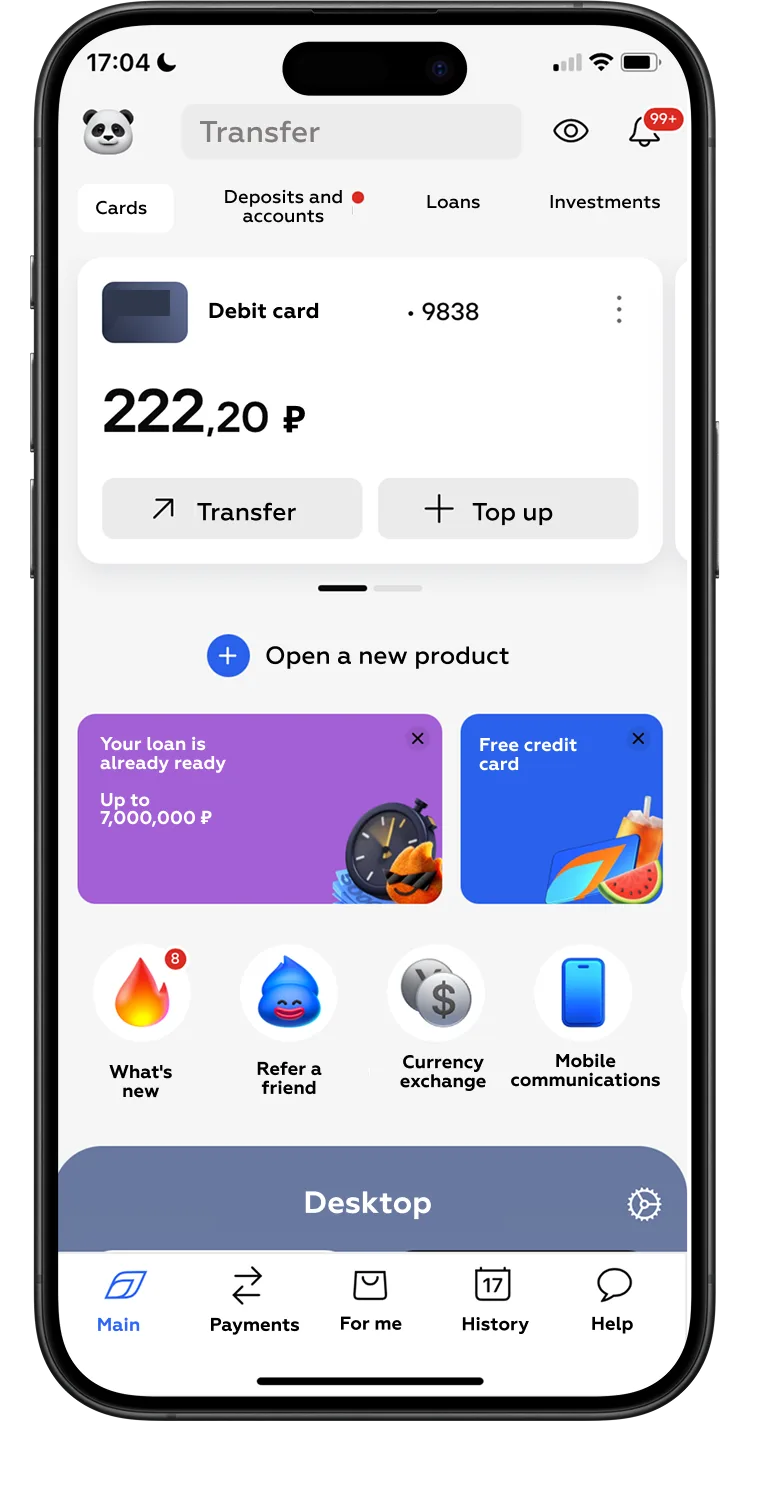
The intent-based approach ensures that chat, GUI, and AI are complementary. Each modality serves the user’s goals efficiently:
This method prevents the “hybrid trap”, reducing friction, cognitive load, and user frustration.
Redesigning a hybrid interface requires a systematic, research-driven approach. Intent-based UI is only effective when the interface is orchestrated around real user intents, not features or AI capabilities alone. Markswebb’s methodology highlights three practical steps to bridge the hybrid gap.
Key takeaway: Effective hybrid interfaces require research-informed orchestration, not just technology upgrades. By mapping user intents, auditing interaction flows, and designing clear ownership of tasks, organizations can transform hybrid UIs from confusing dual systems into coordinated, high-adoption experiences.
Many organizations pour significant resources into AI initiatives, expecting that advanced models will automatically drive adoption. In reality, the bottleneck is rarely the technology itself. Instead, misalignment between conversational interfaces and GUI leads to frustration, inefficiency, and ultimately abandonment.
Users often show strong initial engagement: they try the chatbot, test its responses, and explore its capabilities. However, once the friction of switching between modes or repeating inputs already known by the system becomes apparent, drop-off rates climb. What looks like a capable AI can quickly be perceived as a cumbersome intermediary rather than a helpful assistant.
The consequences extend beyond user frustration. Organizations may experience:
The key insight is clear: AI alone cannot solve hybrid UI friction. Success depends on orchestrating interfaces around real user intentions, reducing cognitive load, and creating predictable, context-aware interactions.
Transitioning from a failing hybrid interface to a high-adoption system requires structured, research-driven design. Markswebb’s approach demonstrates that the problem is fundamentally architectural, not technological.
UX research focuses on understanding how real users approach tasks, which enables informed decisions about which modality — chat, GUI, or inline AI — best serves each intent. Core elements of this research include:
By applying these methods, hybrid interfaces evolve from conflicting layers into coordinated, intention-driven systems. Each modality is deployed according to the user’s goals: conversational interfaces handle exploratory or ambiguous tasks, GUI supports structured and repeatable actions, and inline AI augments workflows without forcing mode switches.
The outcome is clear: research-informed orchestration transforms hybrid friction into a seamless, intent-first experience, where technology empowers rather than obstructs the user.
The “chatbot-first” mindset has dominated hybrid interface design for years, yet 2026 has made one thing clear: forcing users into conversations creates friction, frustration, and adoption gaps. Conversational AI is powerful, but its potential is only realized when combined thoughtfully with GUI and inline systems, orchestrated around real user intent.
An intent-first approach flips the perspective: instead of designing interfaces around technology, we design interfaces around what the user is trying to achieve. This means:
The transition from hybrid trap to intent architecture is not automatic. It requires research-informed orchestration: observing real users, mapping intents, auditing interactions, and validating scenarios.
For organizations ready to bridge the hybrid gap, UX research becomes the strategic lever that transforms advanced AI from a confusing intermediary into a powerful, high-adoption assistant. By focusing on intent, clarity, and orchestration, hybrid interfaces finally fulfill their promise: helping users achieve goals efficiently, confidently, and seamlessly.
Now is the time to act. Contact Markswebb to learn how our Hybrid Trap framework helps you fix broken AI-agent journeys, restore adoption, and turn automation into measurable product value.
Q: Why do AI agents fail adoption?
Many AI agents fail adoption because their conversational interface duplicates existing UI flows. Users are forced to choose between traditional navigation and chat interaction, which creates cognitive friction.
Q: What is the hybrid trap in conversational UX?
The hybrid trap appears when conversational UI and graphical UI compete to complete the same user tasks. Instead of simplifying interaction, the product creates two parallel interfaces.
Q: When should conversational UI replace traditional UI?
Conversational interfaces work best when they orchestrate complex tasks across multiple systems. For simple, predictable actions, traditional UI is usually more efficient.
We respond to all messages as soon as possible.
We’ve evolved dozens of successful financial services and are eager to prove that our expertise can be implemented in other industries and around the world. Have a look at our success stories!