
Delivery is a critical part of daily operations for small and medium-sized online stores. In Eastern Europe, companies often rely on independent delivery platforms that operate outside of large digital ecosystems. In this study, we analyzed two such services commonly used by small businesses:
We conducted in-depth interviews, a UX benchmark, and an expert audit of each service’s business dashboard. What we found is that while both platforms aim to assist e-commerce teams, they differ significantly in how they support operational efficiency. Interfaces vary in the level of automation, step structure, and usability — and often fail to fully address user needs.
Our research resulted in three key outputs:
Contents
E-commerce managers deal with routine logistics tasks every day: entering delivery data, choosing packaging, calculating dimensions, and monitoring statuses. During periods of peak demand, the workload grows rapidly — along with errors, processing delays, and increased operational costs.
We conducted a series of in-depth interviews, a UX benchmark, and an expert audit of the business portals used by logistics managers in the scheduled parcel delivery service and the on-demand courier delivery service. We found that their interfaces differ significantly in how they handle automation, the logic of user flows, and overall convenience — and in many cases, fail to support the user effectively.
Why these two services and what we evaluated
In this research, we compared two delivery platforms — a scheduled parcel delivery service and an on-demand courier delivery service. These services were selected because they operate independently of major digital ecosystems, are well-known in their local markets, and are accessible to small businesses. Both position themselves as logistics partners for e-commerce, not just services for private users.
Our focus was on the business dashboard used by online store managers. The study centered on operational tasks carried out by employees responsible for delivery processing: how quickly and accurately they can fill out forms, find the information they need, check statuses, and complete or modify orders.
We set out to answer the following questions:
In the first phase, we conducted in-depth interviews with small business representatives who actively use delivery platforms. This helped us identify core interaction scenarios and major problems users face. Two primary user types emerged:
The interview findings helped us generate hypotheses about key UX issues and unmet user needs.
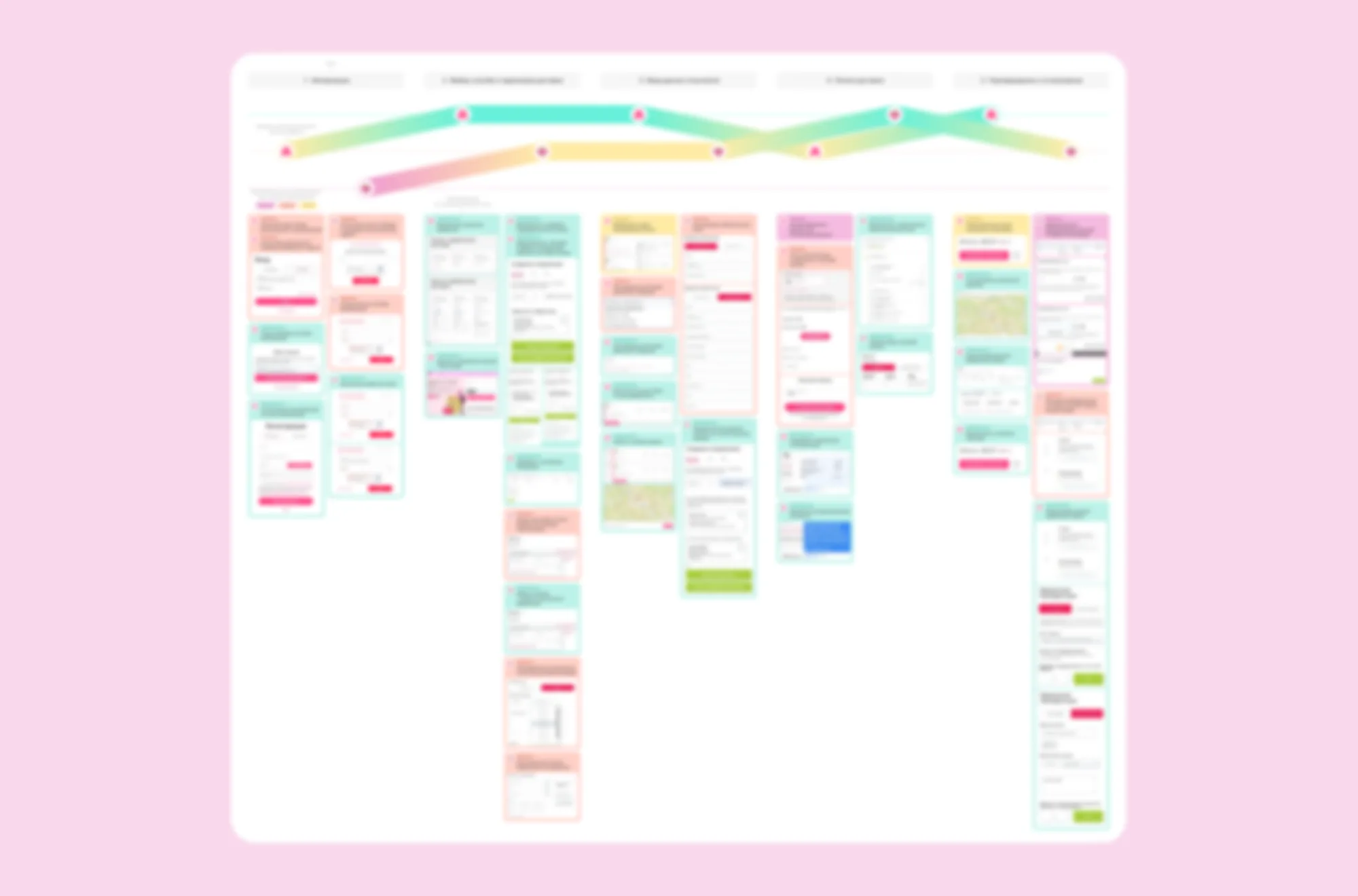
The second phase involved an expert audit of the business dashboards of the on-demand courier delivery service and the scheduled parcel delivery service. We followed the complete user journey on both platforms — from login to order creation and delivery tracking — and reflected the key problems on the CJM. Each issue was described, visualized, and evaluated by its level of criticality, based on its impact on processing speed, risk of error, and likelihood of user support requests.
The third part of the study was a benchmark analysis. We compared the two services using factors that clearly affect the productivity of logistics managers and the operational costs of the business. In addition, we examined UX solutions used by other delivery services in Eastern Europe. These included features that positively influence the workflow of delivery managers and served as benchmarks during comparison.
User profiles
To understand how small business teams interact with delivery services, we interviewed online store owners and logistics managers — the people who work with delivery dashboards every day. They are responsible for creating shipments, tracking statuses, and resolving delivery issues as they arise.
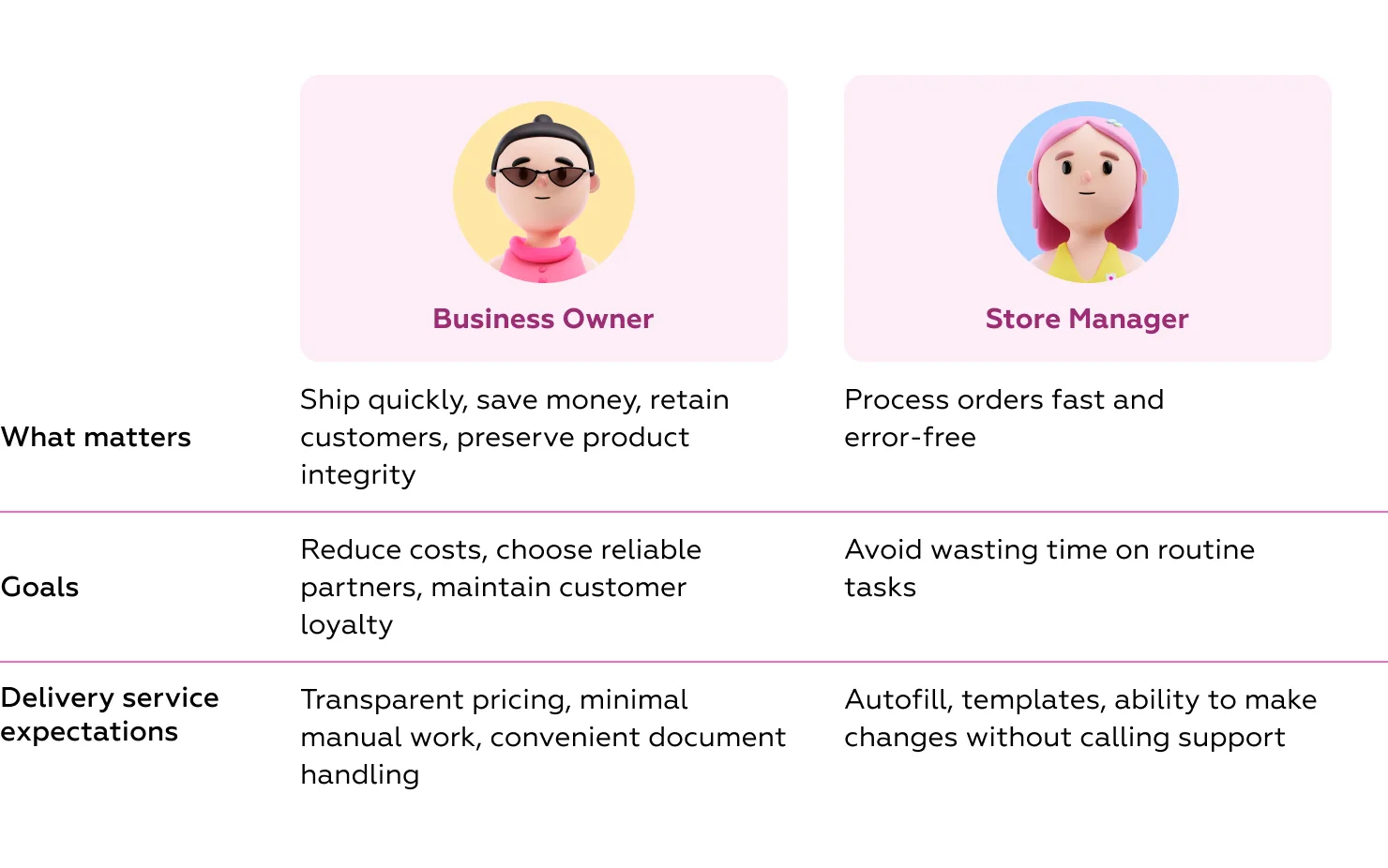
Key roles:
Key findings from interviews:
“Once the goods reach us, we send them to customers using several services — the Scheduled parcel delivery service, Service C, and others. For city deliveries, we often use the On-demand courier delivery service or Service D. It depends on customer preferences, item type, and regional availability.”
“We've had packages damaged before. Yes, we’re reimbursed if the packaging meets the rules. But the client doesn't care — they still blame us.”
“We don’t work with contracts — it's easier to pay by card or transfer. Waiting for an invoice means delays and added hassle.”
User journey analysis
To test our hypotheses and identify the most critical points in user interaction, we followed the end-to-end workflow of a logistics manager — the main user of the business dashboard — and created a Customer Journey Map (CJM). This map visualizes where errors, delays, or unnecessary steps occur, and highlights the interface features that are essential for improving productivity.
Scenario analyzed:
A logistics manager receives a delivery request from a customer — via email, CRM, or a phone call. The request includes recipient details, delivery address, order contents, and preferred delivery time. The manager logs into the delivery platform, selects the appropriate shipping method, fills in the required fields, and submits the order. After confirmation, they track the delivery status and, if necessary, update details or create a new request.
During peak times, managers at small businesses may process up to 30 orders per day, making it crucial that delivery management tasks are as fast and frictionless as possible.
How we assessed the digital experience
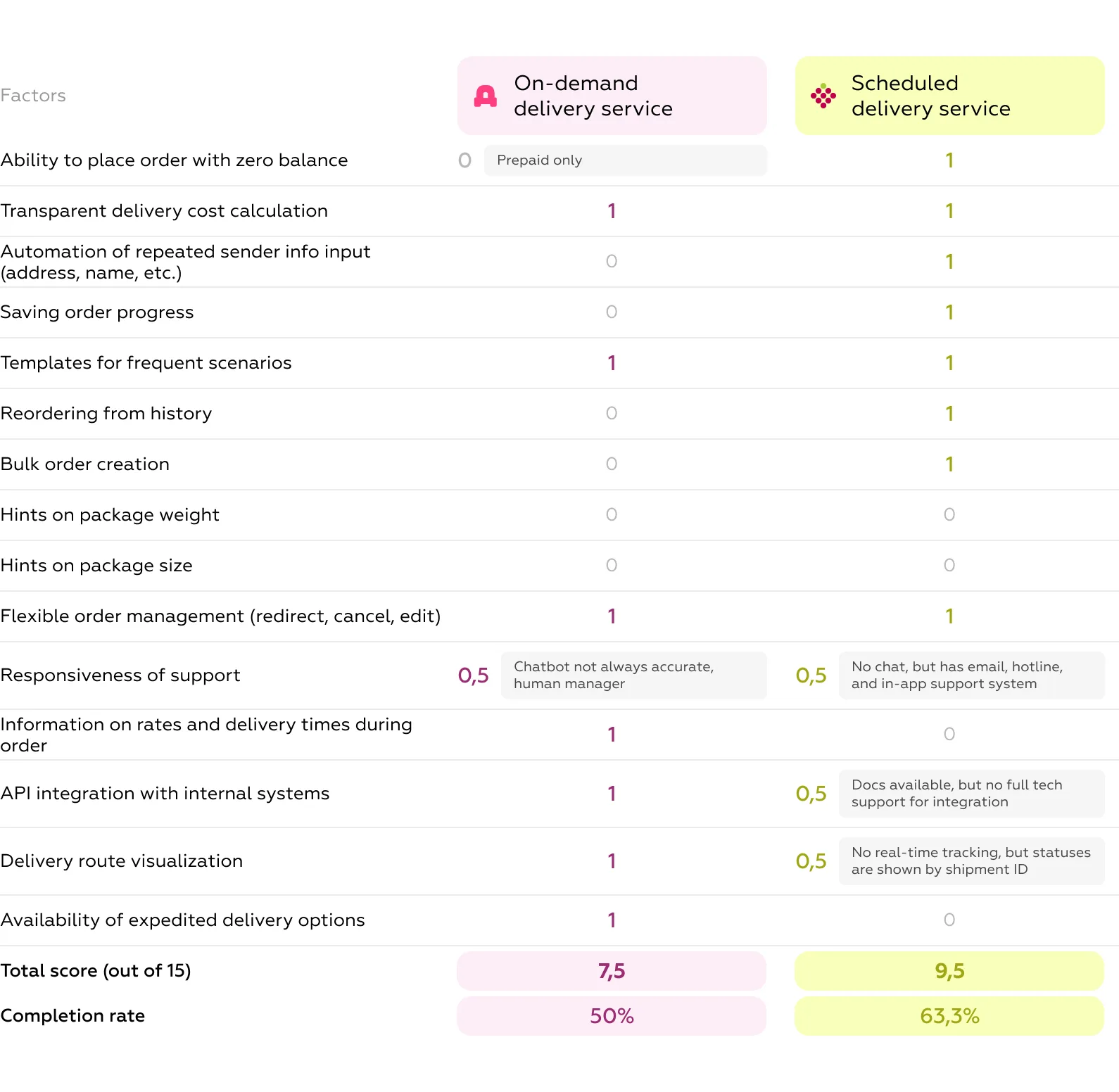
The evaluation of the on-demand courier delivery service and the scheduled parcel delivery service was based on 15 UX factors that directly affect the manager’s ability to process deliveries efficiently and without errors. Each factor was scored on a 3-point scale:
Comparative results: performance differences
The maximum possible score was 15. The closer a service scored to this value, the more mature and efficient its UX infrastructure appeared from the perspective of a logistics manager.
From a user experience standpoint, the on-demand courier delivery service and the scheduled parcel delivery service showed different strengths and weaknesses.
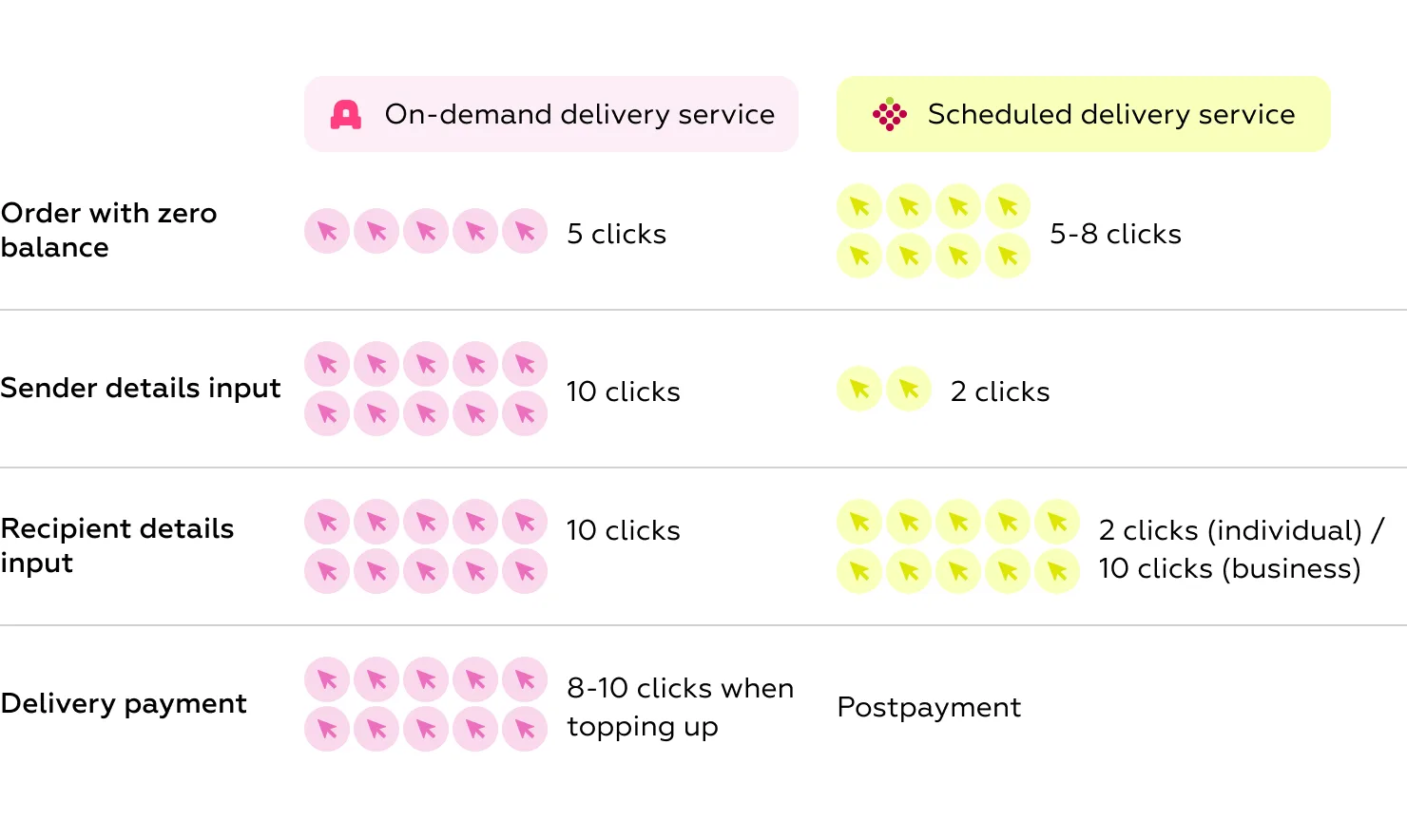
Use-case fit
The on-demand courier delivery service performs better in flexible scenarios and is more suitable for urgent or custom deliveries. Features such as route visualization and express options give users more control over one-time shipments.
In contrast, the scheduled parcel delivery service provides a more structured and mature environment. It’s a better choice as a primary logistics platform for businesses that send multiple similar packages each day. The system helps reduce manual effort and processing time with tools like:
However, neither platform covers the full spectrum of business needs:
Based on our evaluation, we identified eight interface solutions that either platform could adopt to improve efficiency and usability. Below are selected examples:
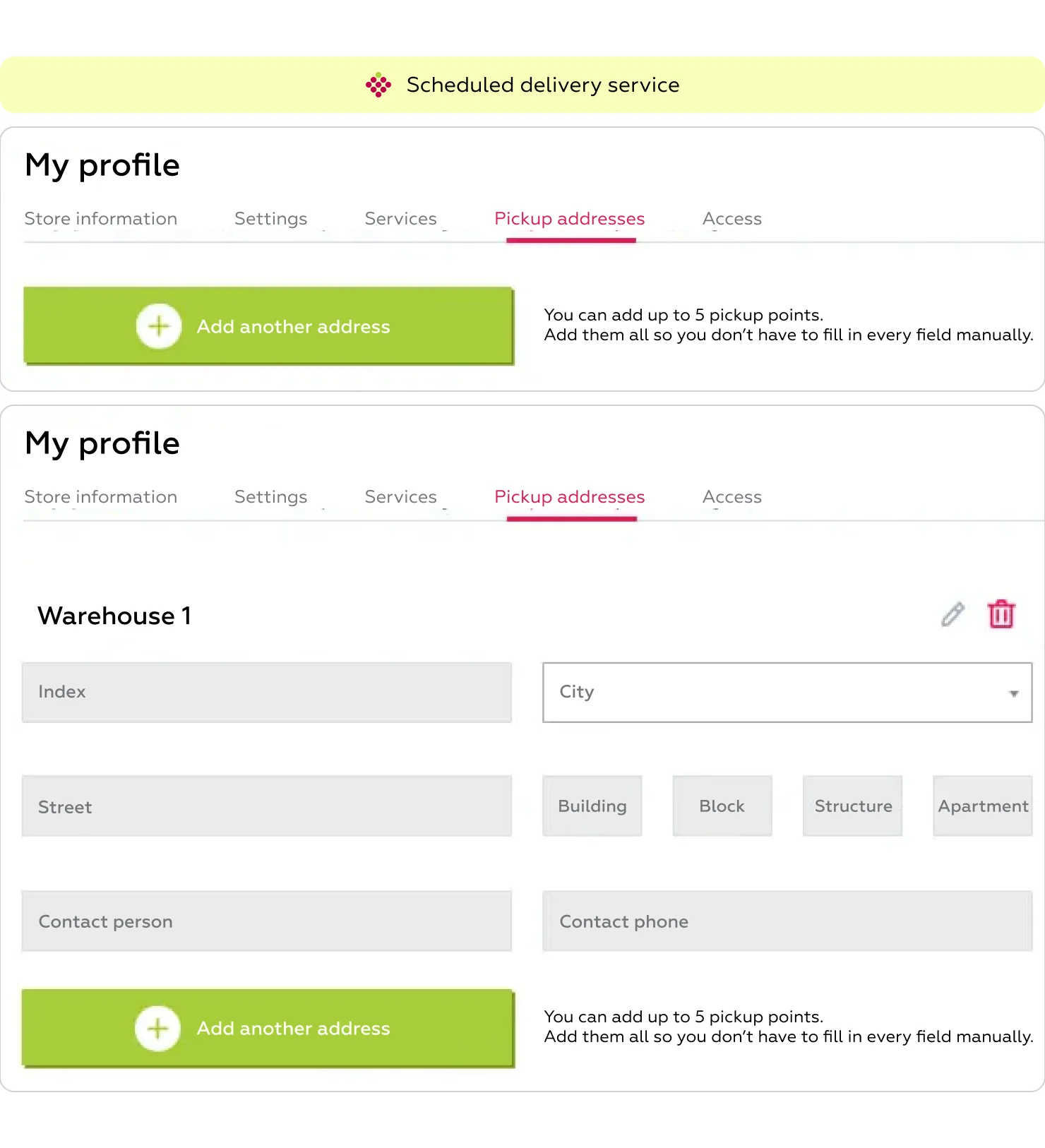
Use case: A logistics manager processes dozens of shipments from the same warehouse with identical sender details. They need the platform to auto-fill this data to avoid repetitive entry.
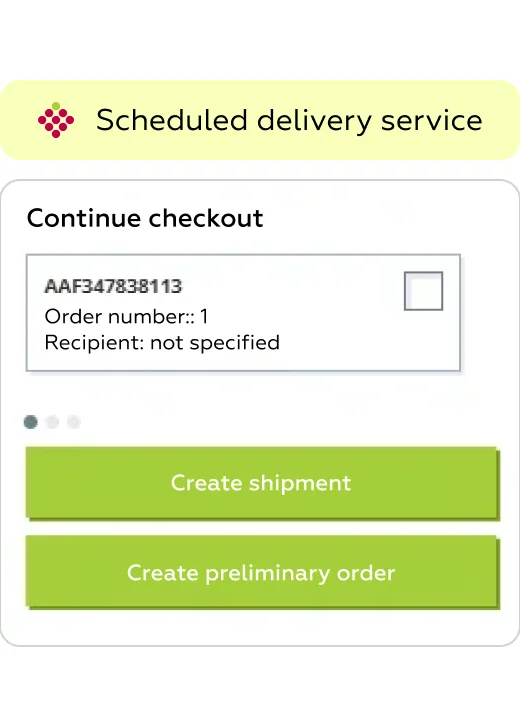
Use case: A manager starts creating a shipment but is waiting on missing details from the customer and needs to return later.
Use case: A manager regularly sends documents to headquarters with the same address, weight, and parcel type. They want to save this as a template to avoid re-entering details.
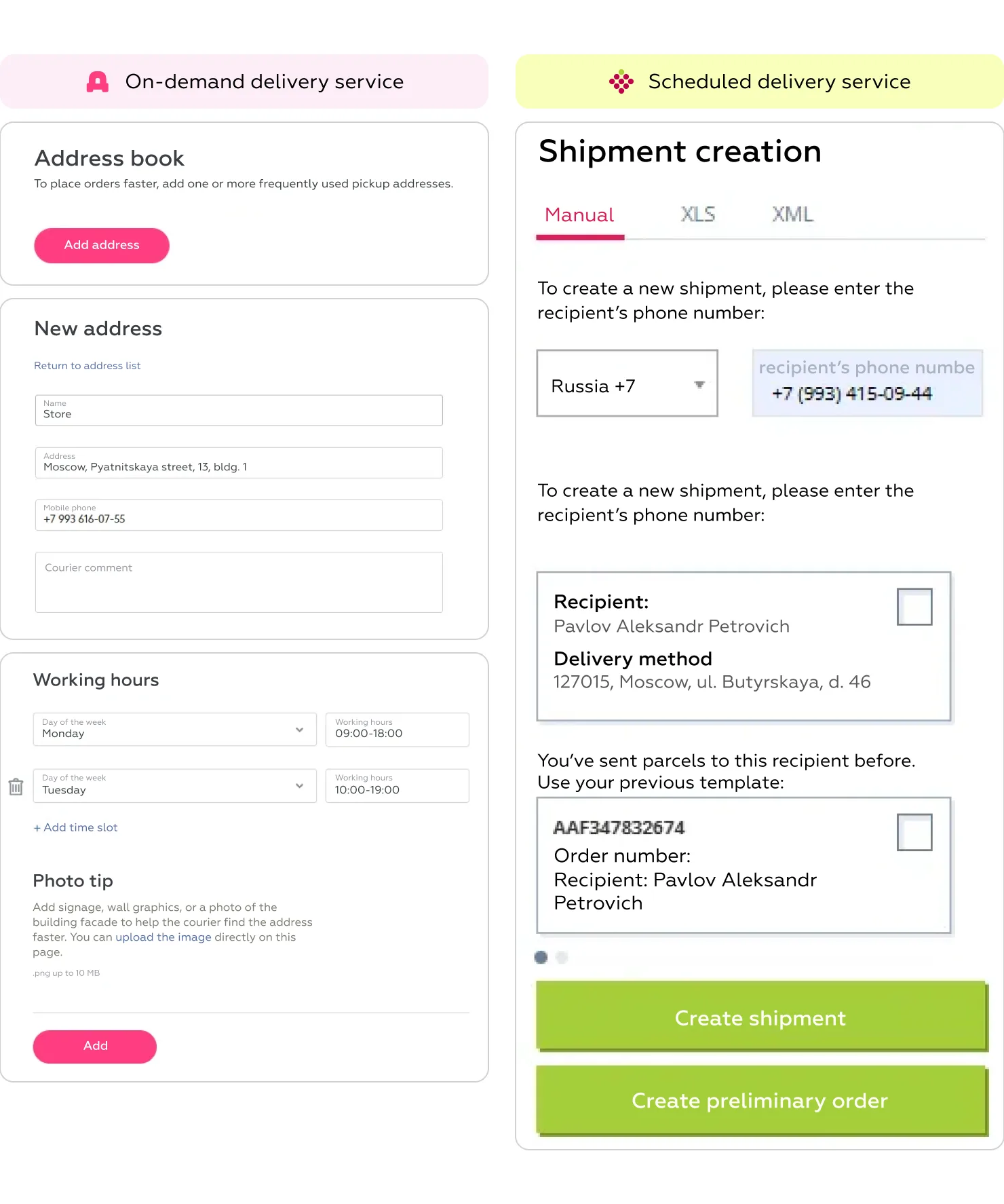
Use case: A manager frequently ships to the same customers, using the same addresses and parcel parameters. They want to avoid filling in the form each time and instead re-send with one click.
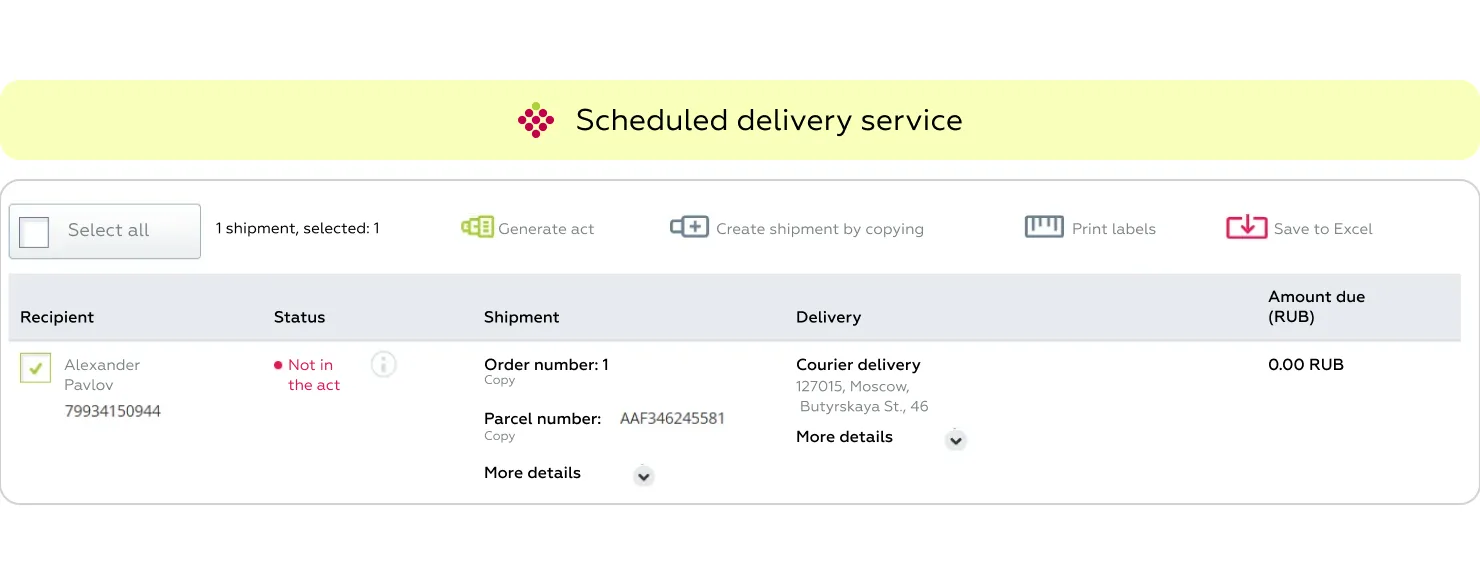
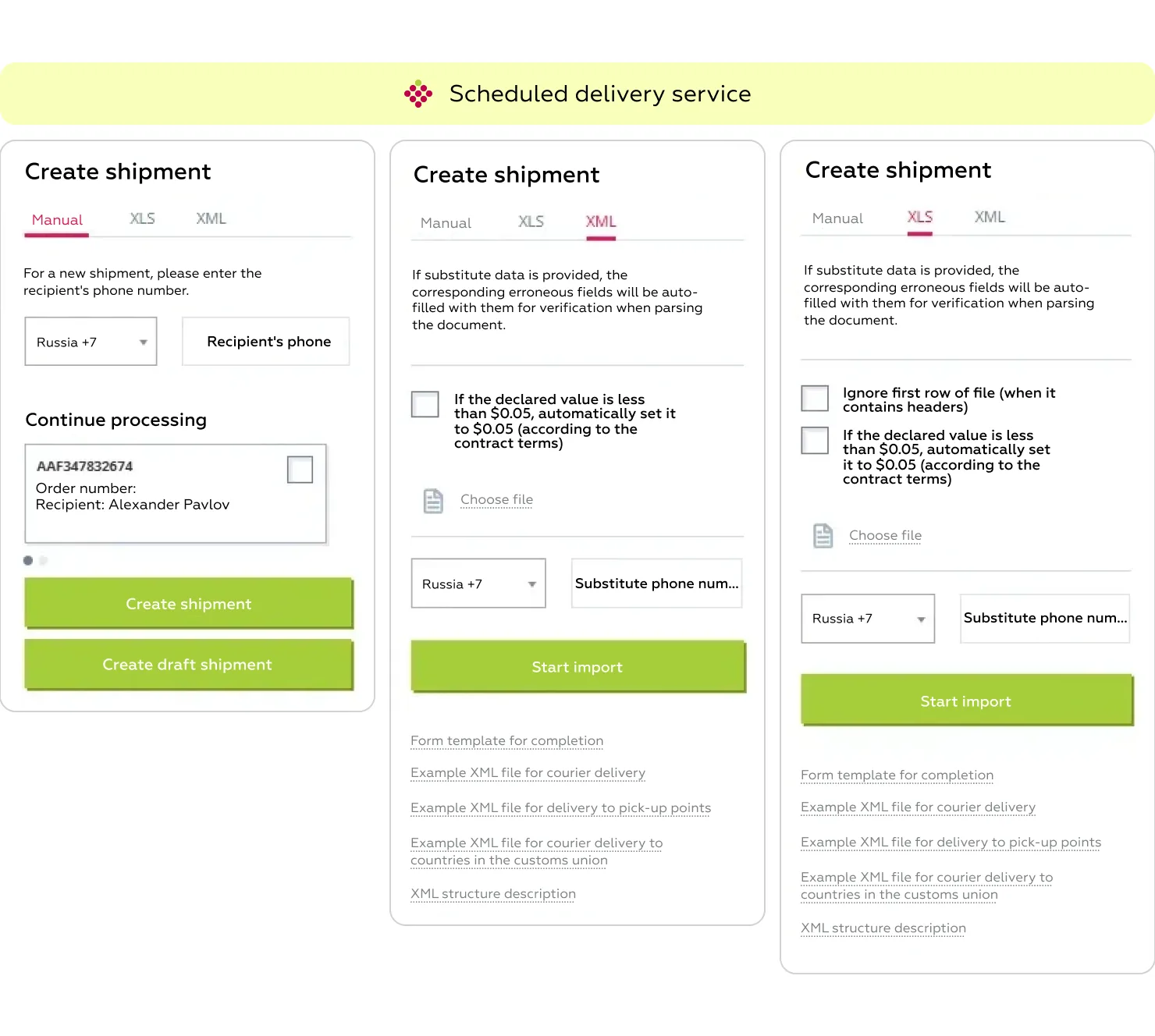
Use case: A manager wants to prepare a file with multiple orders and upload it to the system to avoid entering them manually.
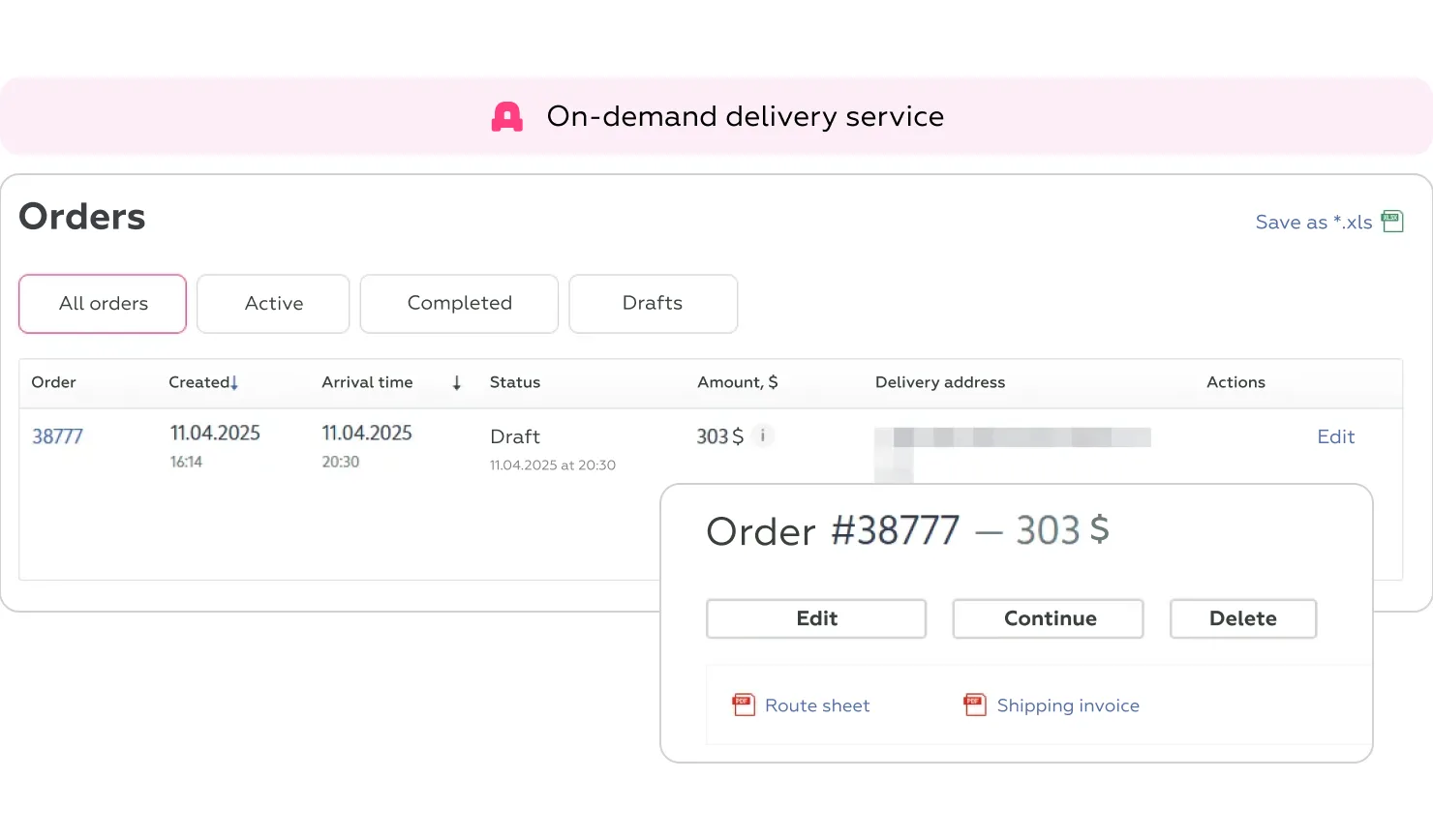
Use case: A recipient unexpectedly changes their address, and the manager wants to redirect the shipment without contacting support or cancelling the order.
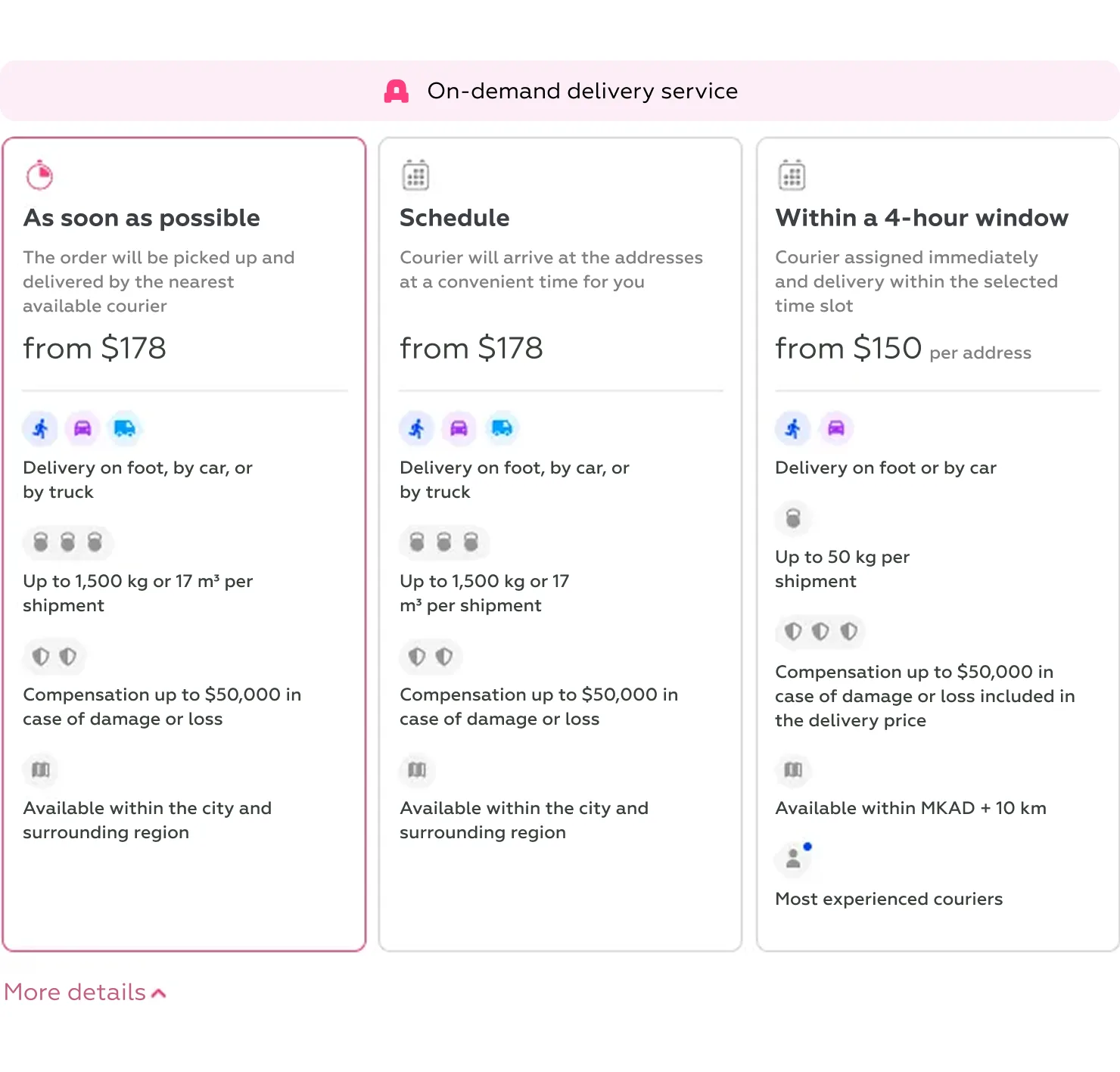
Use case: A manager receives an urgent request — delivery must be completed within 2–3 hours. They want to quickly find and select a suitable delivery option without consulting a rate guide or external document.
Use case: A manager at a large e-commerce company receives frequent questions from customers about courier location. They need to provide accurate updates on current courier location and estimated arrival time.
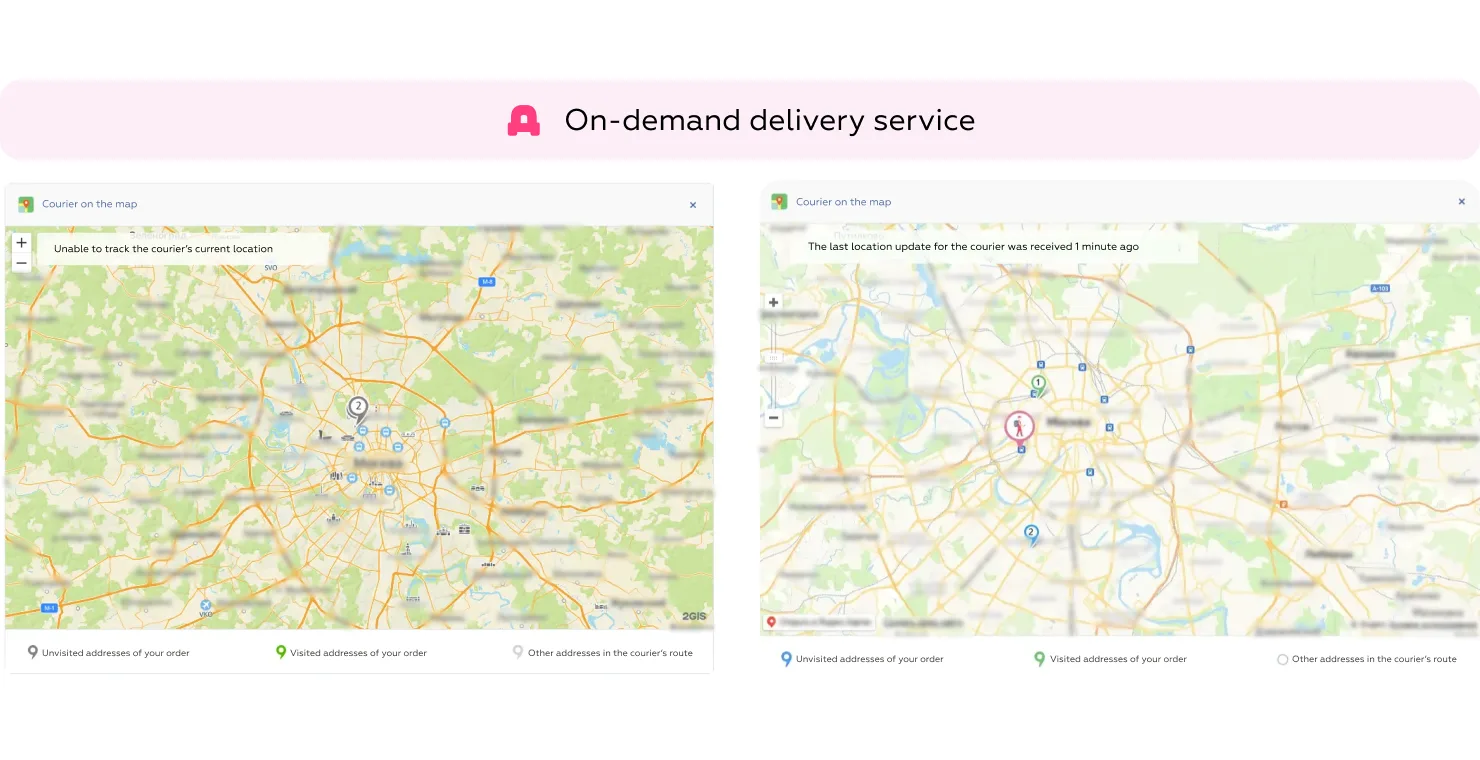
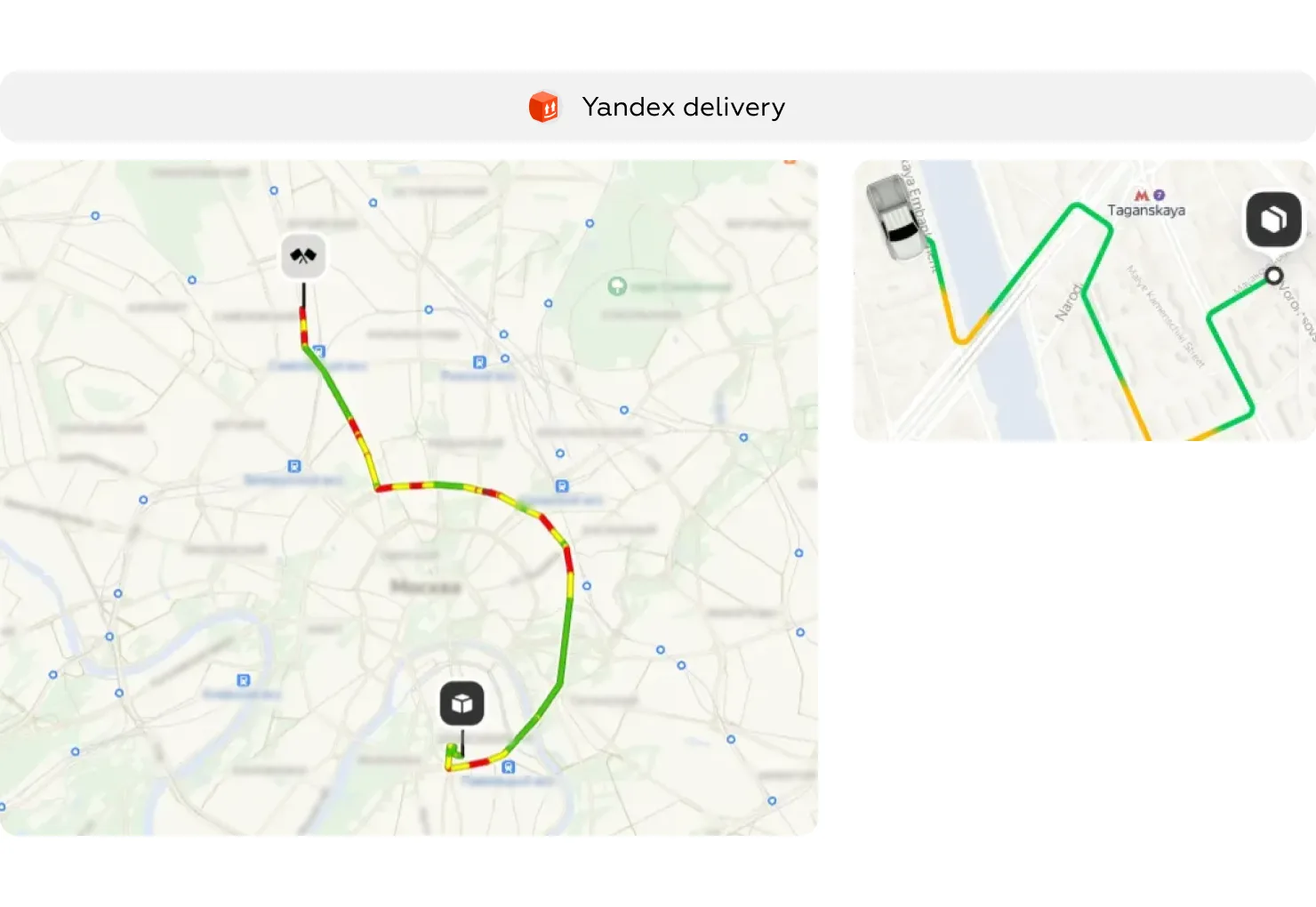
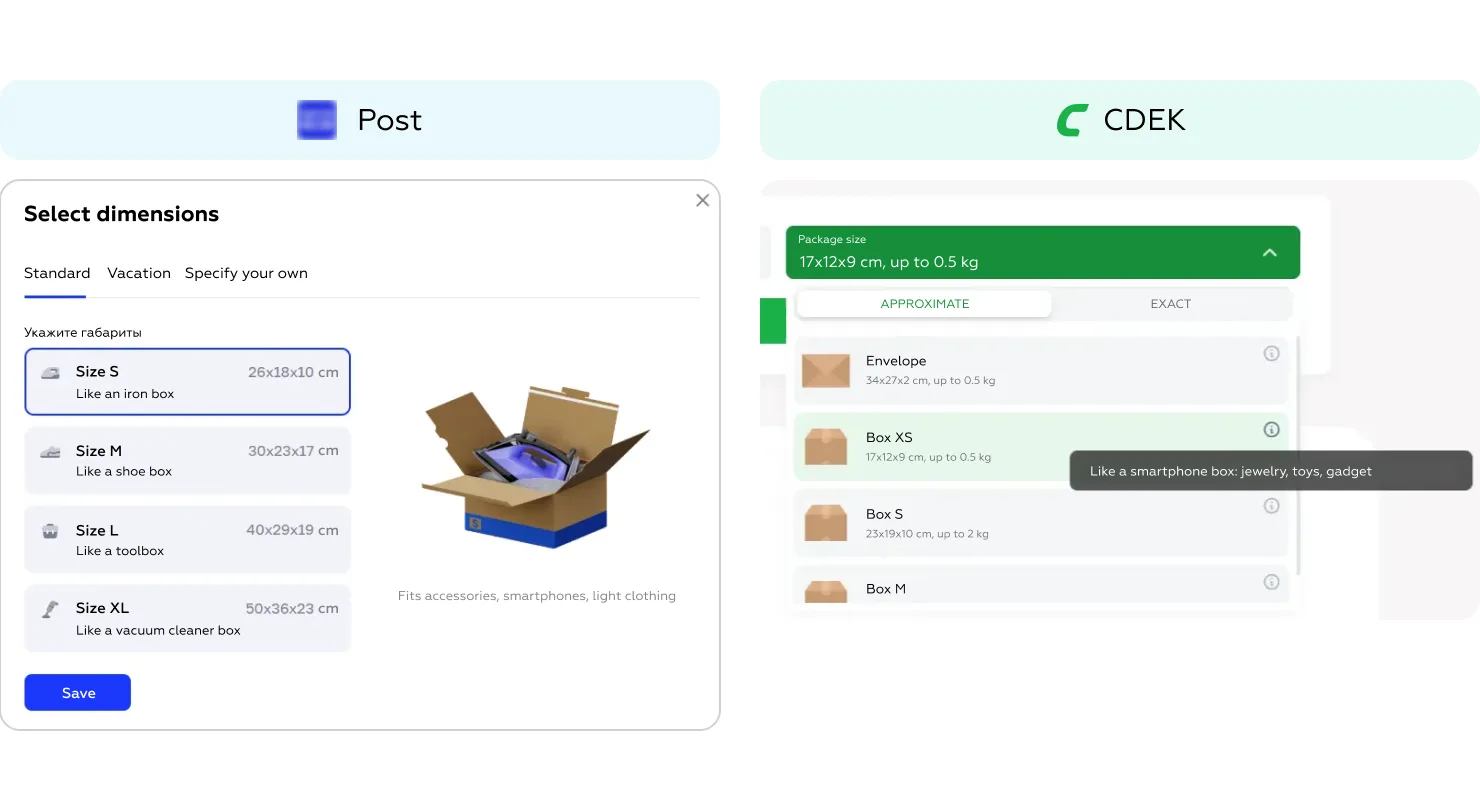
Several valuable solutions observed in other delivery services in Eastern Europe could help enhance the user experience for both the scheduled parcel delivery service and the on-demand courier delivery service.
Real-time courier tracking with full route visibility
Predefined parcel dimensions with visual hints
Packaging templates and intuitive weight guidance
Transparent price calculation
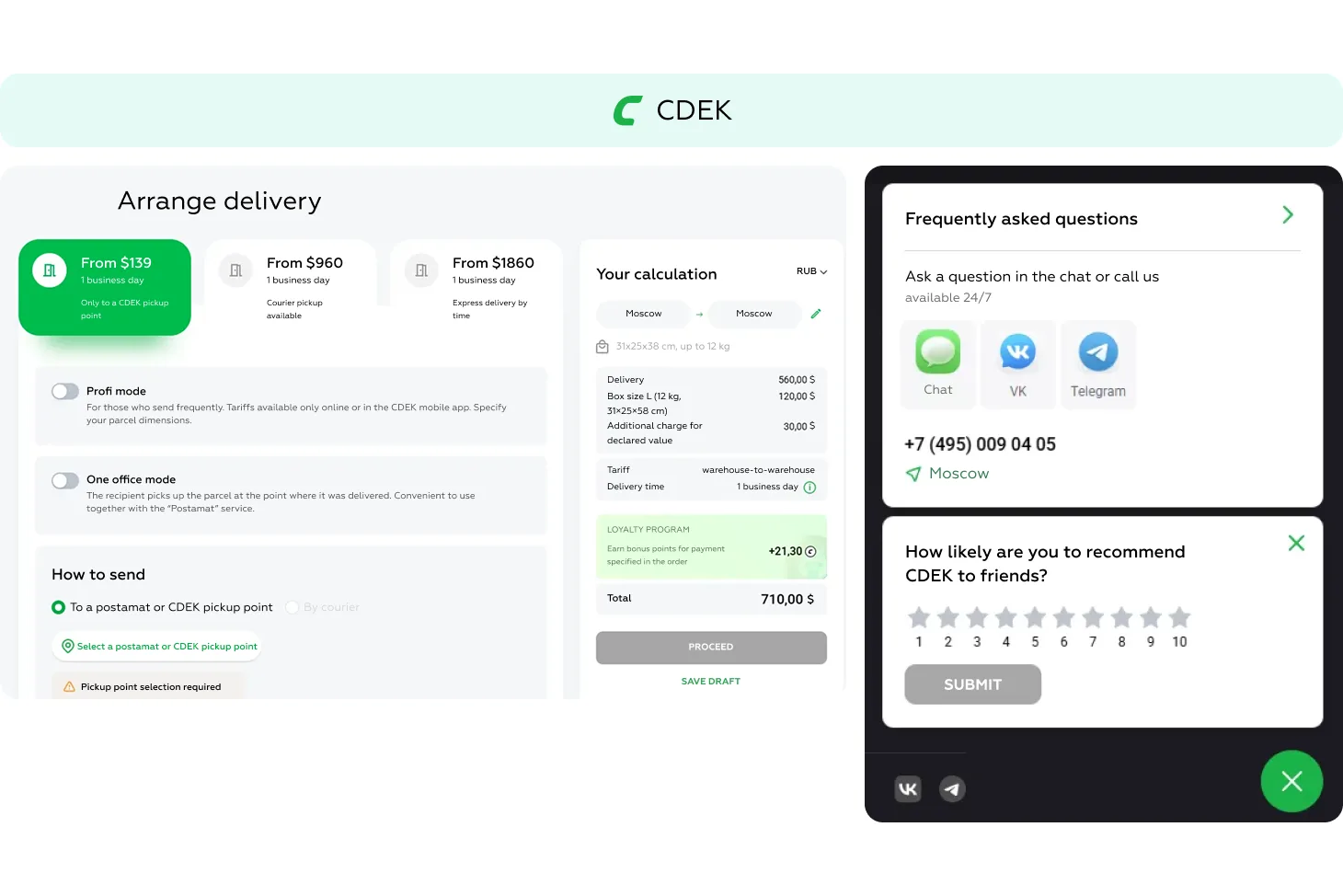
Multiple support channels, including personal managers
Summary and conclusions
The on-demand courier delivery service and the scheduled parcel delivery service have not yet adopted each other’s best practices — nor have they fully embraced modern UX trends in logistics. As a result, many routine delivery tasks remain insufficiently automated, requiring more time and manual effort from logistics managers. This directly impacts productivity and raises the operational costs of small businesses.
Below are three key examples where failure to adopt proven solutions leads to reduced efficiency:
Autofill and saved addresses
Real-time courier tracking
Packaging hints
Final thought
By ignoring each other’s strengths — and the broader market’s UX advancements — both services limit their potential and force business users to navigate inefficient processes. As a result, small businesses are left managing fragmented logistics, spending more time per order, and facing a higher likelihood of errors.
To improve, both platforms should rely on benchmark-driven analysis and adapt best practices from competitors. Even incremental enhancements — like route transparency, smart autofill, or visual packaging tools — can meaningfully reduce effort, lower support burden, and increase satisfaction for business users.
To find out how we can support your service, write to us on WhatsApp.
We’ve evolved dozens of successful financial services and are eager to prove that our expertise can be implemented in other industries and around the world. Have a look at our success stories!
From research and analysis to strategy and design, we help our clients successfully reach their customers through digital services.